Installation Tutorial
Android
How to setup IPTV on Android with IPTV Smarters Player
Start by downloading IPTV Smarters app through this URL: https://www.iptvsmarters.com/smarters.apk
Open the app once downloaded and Enter the login details
Enter the login details that we have provided you after you get a subscription with us
Now Click on 'ADD USER' to proceed to the next section.
Wait some seconds.
Now click on 'Live TV' icon as depicted in the image via a red arrow.
Now you must select the channel group that you want to watch and proceed to the next section.
Now you must click on the channel name and then double click on the small screen to turn into full screen as the final step.

Apple / iOS
How To Setup IPTV On Apple/IOS With IPTV Smarters Player
Start by downloading IPTV Smarters app from the App Store through this URL: https://apps.apple.com/us/app/smarters-player-lite/id1628995509 or you can search for it on the App Store to install the app on your iOS device.
Open the app once downloaded and Enter the login details.
Enter the login details that we have provided you after you get a subscription with us
Now Click on 'ADD USER' to proceed to the next section.
Now click on 'Live TV' icon as depicted in the image via a red arrow.
Now you must select the channel group that you want to watch and proceed to the next section.
Now you must click on the channel name and then double click on the small screen to turn into full screen as the final step.
To add EPG no need to add any EPG url, Just click on 'Install EPG'.

Smart TV
How To Setup IPTV On SMART TV
You can download SetIPTV / NetIPTV / Smart IPTV from your TV store on Samsung, LG ...
After the installation, open the app the you will find MAC Address on screen
Send us the MAC address via Telegram/Email/Live Chat
After few minutes, restart/reboot your TV and Open the app
MAG BOX
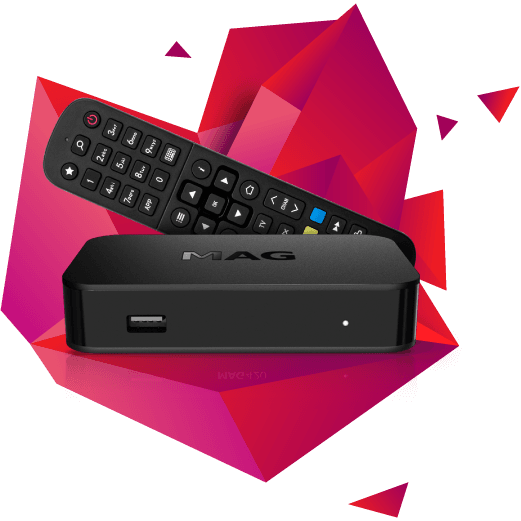
How To Setup IPTV On MAGBOX
Send us the MAC Address of your MAG via Telegram/Email/Live Chat
After making the payment, we will send you the portal link
Windows/Mac
How To Setup IPTV On Windows / Mac With IPTV Smarters Player
Windows Method:
Download IPTV Smarters app through this URL: https://www.iptvsmarters.com/download?download=windows
Mac Method:
Download IPTV Smarters app through this URL: https://www.iptvsmarters.com/download?download=mac
Need Help with Installation?
Our support team is available 24/7 to assist you with any installation issues.
Contact Support